Showing posts with label android. Show all posts

Friday, December 5, 2014

How to Run Two Whatsapp Accounts on Android Without Root


In the past few years, many companies released dual SIM cards, phone after seeing a huge demand for it. And few of dual SIM phone users tries to create 2 WhatsApp profiles for both numbers and thus a query generated that How to run two WhatsApp accounts on Android without root. So before moving on solution for this query you have to be aware about WhatsApp messenger.


A Brief Intro about WhatsApp Messenger!

WhatsApp is a most popular and easy to use messenger. It allows a user to send images, videos and chats through Mobile phone to another user who is also using  whatsapp. Now it's become a need for new generation users to communicate with their friends, relatives and colleagues. You can also hide last seen on whatsaap in Windows phones, Android phones and iPhones. So I am going to disclose a useful trick that will show you how to use two whatsapp accounts on one phone.

What you will need for The Process?

  1. An Android phone (dual SIM) that you are using for the official WhatsApp.
  2. OGWhatsApp.apk which you can be downloaded free of cost by a simple Google search.

Know How to Run two WhatsApp Accounts on Android without Root:


1) In the very first step, take backup of your WhatsApp data. 

Open WhatsApp >>Settings >> Chat settings, then select “backup conversation”option.


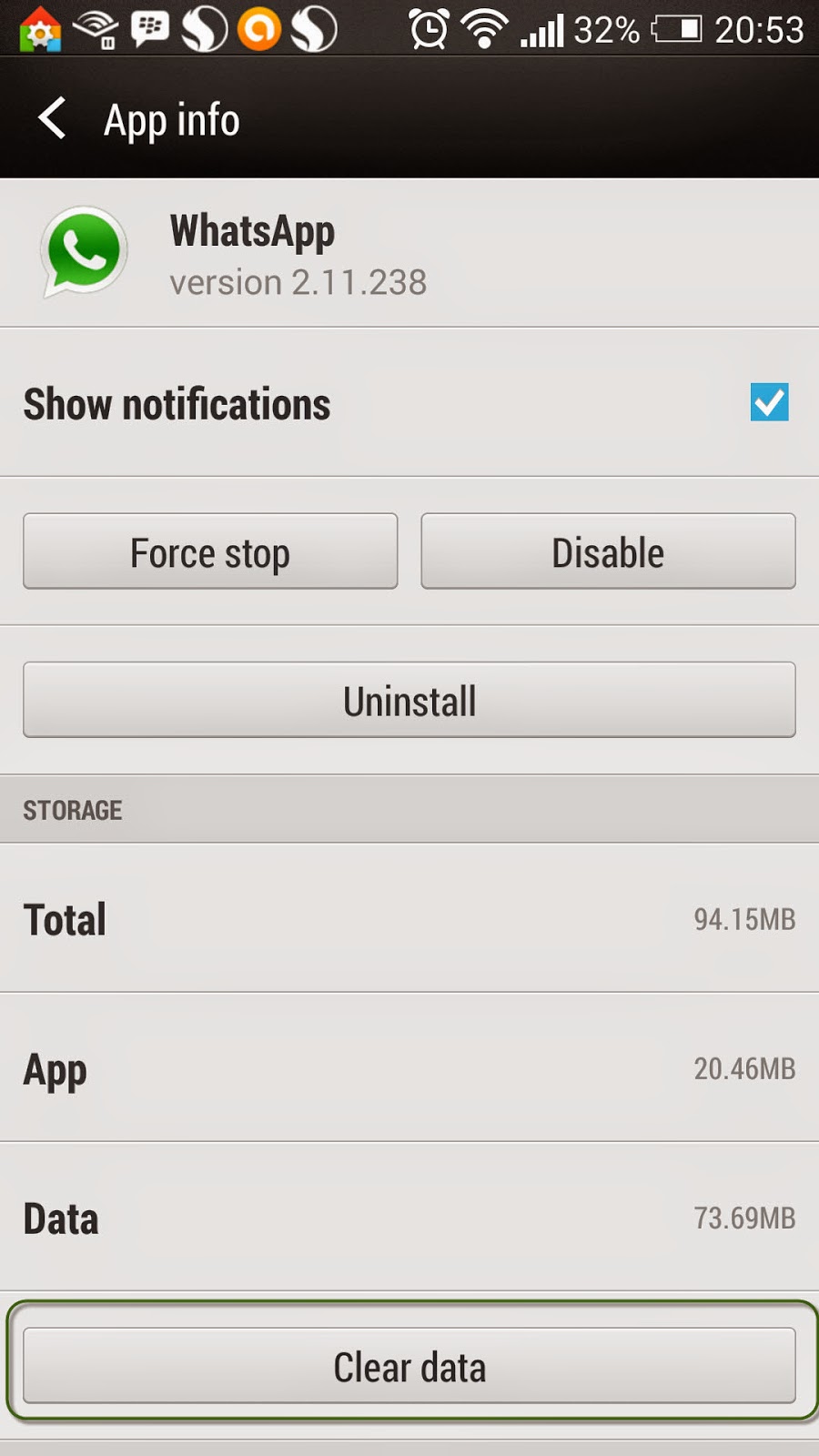
2) Now go to app setting >> Clear the official WhatsApp data. 

Move to WhatsApp app info and scroll down and select “clear data


3) Now go to your file manager >> rename the “WhatsApp” folder with the name “OGWhatsApp

4) Download a free application “OGWhatsApp.apk” and install on your Android phone.


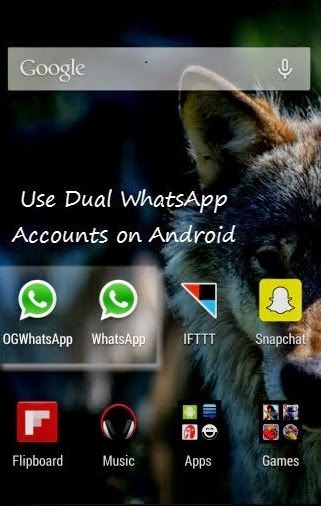
5) Now you will see two WhatsApp accounts on your Android phone and you can register one more extra number on WhatsApp without having to root your dual SIM Android phone.

Conclusion: Above suggested method is fully helpful to explore how to run two whatsapp accounts on android without root. So apply all these steps and use two whatsapp accounts from your single dual SIM Android phone. I hope you got the right solution for your query still you have any doubts or unable to execute above listed steps then put a comment below. Also share your experience with this method or any suggestions related to the topic.

Saturday, October 11, 2014

How to Hide Last Seen on Whatsapp for iPhone, Android & Windows Phones

Whatsapp is the much loved mobile messenger application preferred by most of smart phone’s users. Whatsapp is being integrated by most popular social networking website Facebook in 19 billion US Dollars. Using Whatsapp, a user can send/receive messages, group chats, photos and video to his /her friends which contact number are already saved on your mobile phone.

Sometimes it is truly difficult and challenging when you don’t wish to show that you have seen somebody’s message or not, but unluckily Whatsapp doesn’t provide direct function to disable Last Seen in Whatsapp. 

Don’t need to be more anxious because I am here to the rescue your problems regarding the same issue. After reading and analyzing this blog, you will be able to recognize how to hide last seen on Whatsapp for Android phones, Windows phones, iPhone and Blackberry etc.

How Possible to Disable Last Seen function on Whatsaap?


After integration with Facebook, Whatsapp has finally released the function to hide the ‘Last Seen’ timestamp on your smartphones. Few stepwise methods are described here for different smart phones. So get same solution for your phone by following appropriate steps.

Free Apps to Disable Last Seen on Whatsapp for Android Users!


There is a free app available with the name “Last Not Seen” that controls Whatsapp form updating your Last Seen status. It’s a free source application and not available in Google Play store so you can download it for here.

How Application Works?


It deactivates internet connection of your cellphone’s while your Whatsapp is running on your mobile phone. It doesn’t allow the servers to update your last message reading (Last Seen) status.

1. In the very first step, Download and install this App.
2. Open the app >>tick “Block Last Seen”

Now go to Whatsapp and you will notice that your Internet connection have mechanically turned off.
When you leave Whatsapp, it will automatically enable Internet connection of your handset.

Note: Now what if you don’ wish to use any external app for disabling the Last seen function? Don’t worry we have a simple manual method too for the same task.

Hide Last Seen on Whatsappon Android phones using Manual Method


By default, WhatsApp will set your Privacy Settings automatically to allow any WhatsApp user to view your profile photo, last seen and status.

If you don't share your last seen so change the setting by following listed below steps:
  1. Open WhatsApp
  2. Settings > Account >> Privacy setting
  3. Select last option (Nobody) >> Ok 

Disable Last Seen in Whatsapp for iphone


An iPhone user can hide last seen status by following these steps:
  1. Open WhatsApp
  2. Simply go Settings>> Advanced
  3. Last Seen Timestamp  and turn it OFF

Hide Last Seen status in Whatsapp for BlackBerry and Windows Phones


Same steps can be used as shown above to disable this function from Privacy setting for Blackberry and Windows phones.

I hope you got the solution you are searching for. But if still have any issue so put a comment below I will try to short out your query ASAP. :)